How to play
Spore Wars takes a minute to learn: drag troops from one building to another. This page explains everything you meet in the game, using the game's own names.
The goal
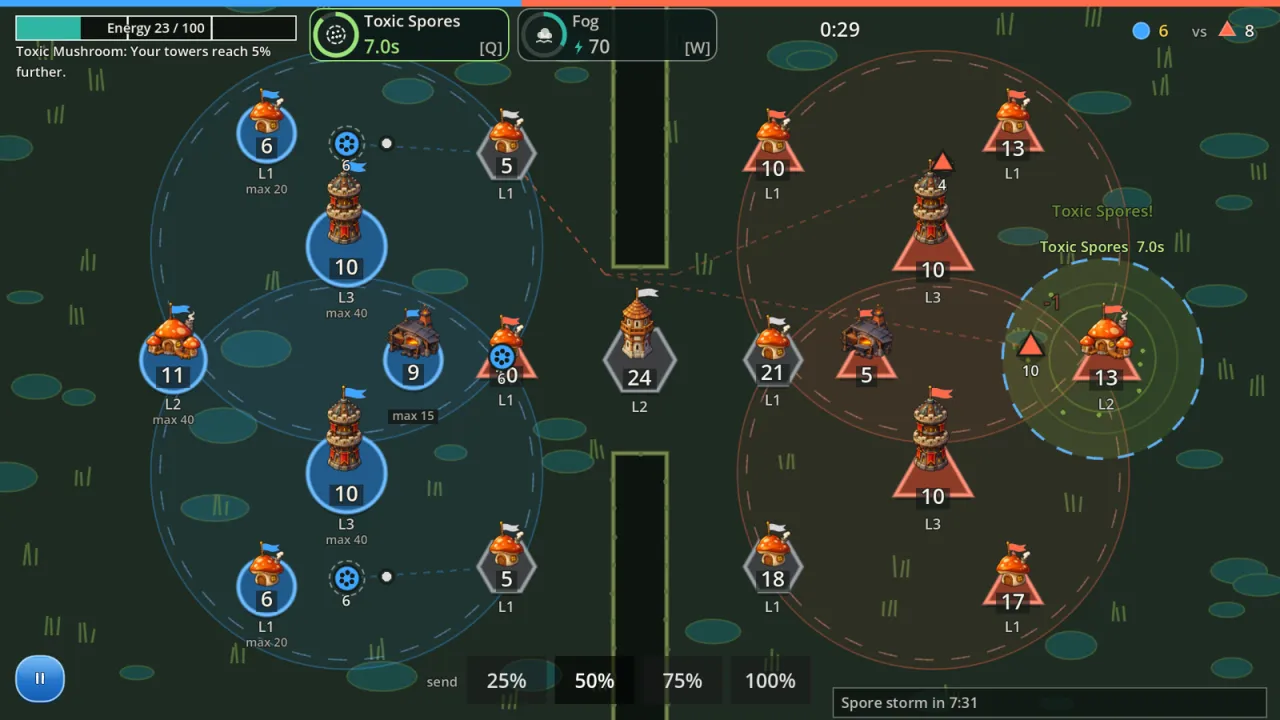
The map fits on one landscape screen. You see all of it, with no fog of war. You are the blue side (the colour can be changed in Cosmetics), and with Keep my army on the left on, a match where you start on the right is shown turned around so your army is on the left. In the default mode, Conquest, you win when your opponent has no buildings left, and you lose when you have none. A match usually lasts 3–8 minutes.
Controls
Touch and mouse share one way to play: a tap is a click.
- Select a source. Tap one of your buildings. Tap more buildings to select several sources, or swipe a finger across several to select them quickly.
- Send troops. Drag from the source to the target and let go. The troops march along a straight line, or along the shortest path around obstacles.
- Pick a share. The 25 / 50 / 75 / 100% bar at the bottom sets what share of the source's soldiers go. The default is 50%. Change it before you drag, or during a drag by swiping up or down on the rail at the edge of the map; with a mouse the wheel works too.
- Open a building's menu. Double-tap one of your buildings to upgrade it or convert it to another kind (see Buildings).
- Redirect a squad. Drag from a marching squad to a different building. This works only before the squad has gone halfway.
- Use a hero skill. Tap a skill button at the top (or press Q / W on a keyboard), then tap a target if the skill needs aiming. Tap again to cancel.
- Pause. The pause button is at the bottom left, or press Esc / P on a keyboard. The pause menu lets you resume, surrender or quit to the menu.
Gamepad. In the menus: the D-pad or stick moves, A presses, B goes back. In a match with several people on one screen, a gamepad drives its own cursor: the stick moves the cursor, the D-pad jumps to the next building, A selects / sends / confirms, B closes the menu or clears the selection.
Marching and fighting
- Opposing squads that meet on the road fight. Each side loses soldiers in proportion to the other's attack; the survivor marches on.
- Reaching an enemy or neutral building: the attackers wear down its garrison, which counts the building's defence factor. When the garrison reaches 0 the building changes hands, with the attackers who are left. Neutral buildings have no defence factor.
- Reaching your own building: the troops join the garrison, even above the cap. A village above its cap stops making soldiers.
- Allies (in 2 vs 2) reinforce each other and never fight each other.
- There is only one kind of soldier: 1 attack, 1 hit point. The differences come from buildings, forges, heroes and skills.
Buildings
Every building has a garrison, a population cap and a defence factor. Only Villages make soldiers (and the Spore mine on maps that have one).
| Building | What it does | Levels |
|---|---|---|
| Village | Makes soldiers until it reaches its cap, then stops. | Levels 1–3: cap 20 / 40 / 70, 0.5 / 0.9 / 1.4 soldiers per second. Upgrade to level 2 costs 20 soldiers, to level 3 costs 35. Level 4 (cap 110, 2.0 per second, costs 55) exists only in Conquest. |
| Tower | Makes no soldiers. Shoots enemy squads passing within range. | Levels 1–3: cap 15 / 25 / 40, damage 1.5 / 2.5 / 4.0 soldiers per second. Upgrade to level 2 costs 20, to level 3 costs 30. Stronger defence than a village. |
| Forge | Makes no soldiers. Each forge gives +8% attack and +8% defence to all your troops. | One level. Up to four forges at once (+32%). |
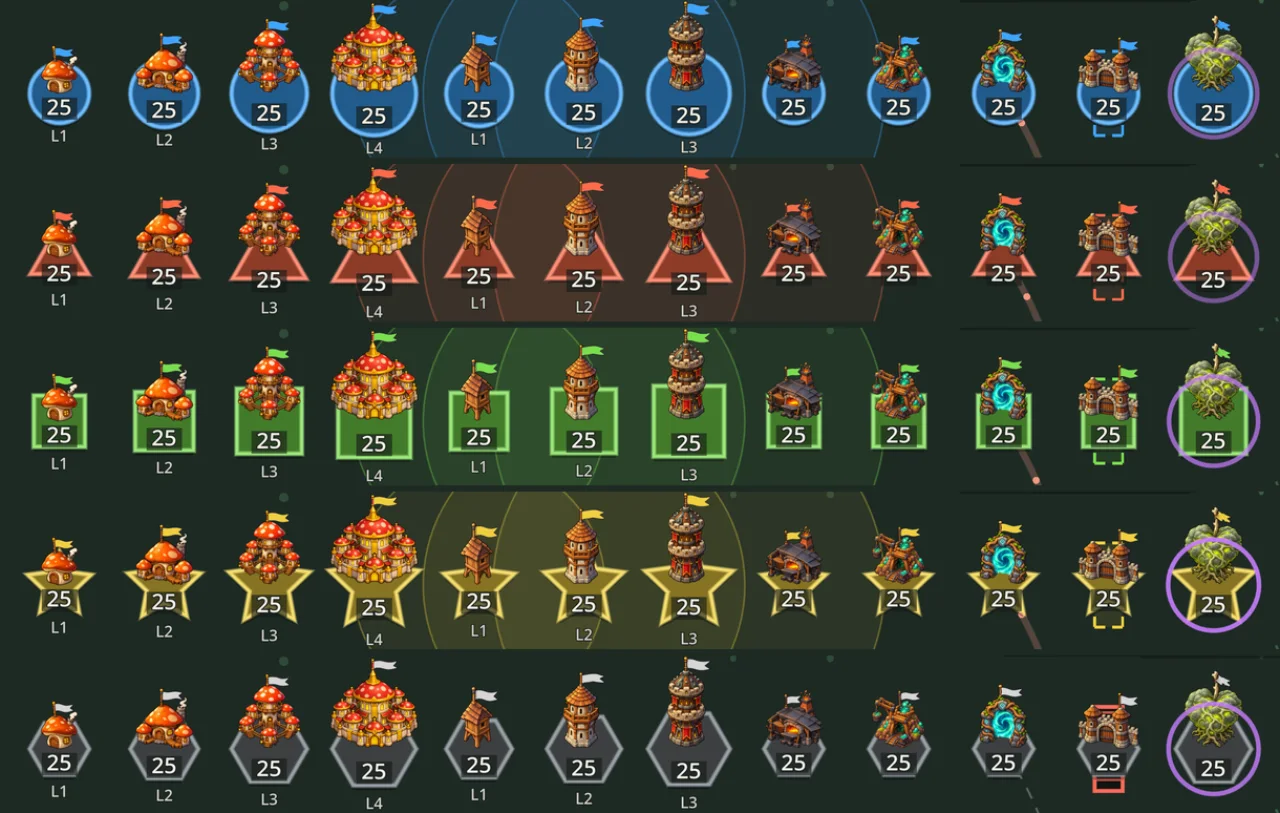
Each type and level has its own painted picture (village levels 1–4, tower levels 1–3, forge, spore mine, portal, gate, and the boss's Heart in chapter 3). It stands on a base in the owner's colour whose shape says who owns it (grey if nobody does); one small part of the picture carries the colour too. Under a building that has several levels is its level (for example L2); its type shows when you select it.
Upgrading and converting
- Double-tap one of your buildings: the menu offers Upgrade to L… and Convert to … with the cost in soldiers, taken from that building's garrison, and a small picture of the result next to each choice.
- Only a level-1 village can be converted, into a Tower (15 soldiers) or a Forge (20 soldiers). Converting back to a Village costs 10.
- A conversion takes 5 seconds. Meanwhile the building makes no soldiers, does not shoot, has no defence bonus, and cannot be upgraded or converted again.
Special buildings (only on some maps)
- Spore mine: makes soldiers for its owner whatever the population; usually in the middle of the map, and worth fighting over.
- Portal: two linked portals. Troops that enter one come out of the other about a second later, but only if you own both.
- Gate: blocks a road. Its owner can pass; everyone else has to break it, and it defends well.
- Special buildings cannot be upgraded or converted.
Heroes and skills
Each player brings one hero: a passive trait that is always on, and two active skills that spend energy. The energy bar holds up to 100, refills slowly over time, and gets a bonus each time you capture a building. Skills never damage a building directly. Classic (no hero) plays without heroes.
| Hero | Passive | Skill 1 | Skill 2 |
|---|---|---|---|
| Mushroom Soldier Rusher | Squads march faster. | Charge (40 energy): one marching squad moves twice as fast for a few seconds. | War Horn (70): all your buildings get a defence bonus for a few seconds. |
| Elder Mushroom Economy | Villages hold more soldiers. | Harvest (40): one village makes soldiers faster for a few seconds. | Deep Roots (70): one building cannot change hands for a few seconds. |
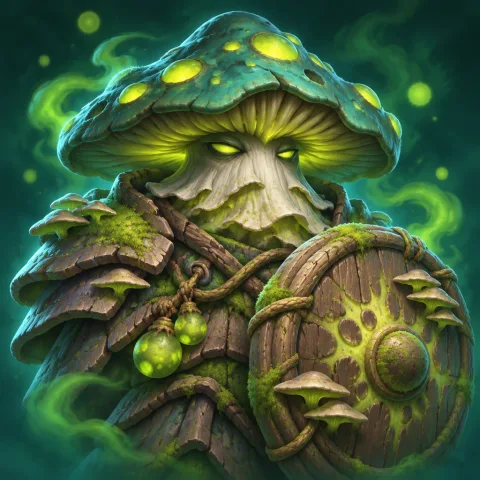
| Toxic Mushroom Defence | Towers reach further. | Toxic Spores (40): a circular zone makes enemy squads crossing it lose soldiers. | Fog (70): enemy squads in the zone lose their way and turn back for a few seconds. |
| Shadow Mushroom Trickery | Enemies see your soldier counts late. | Decoy (40): one of your squads shows a false soldier count for a few seconds. | Teleport (50): sends a marching squad at once into another of your buildings. |

Mushroom Soldier

Elder Mushroom
Toxic Mushroom

Shadow Mushroom
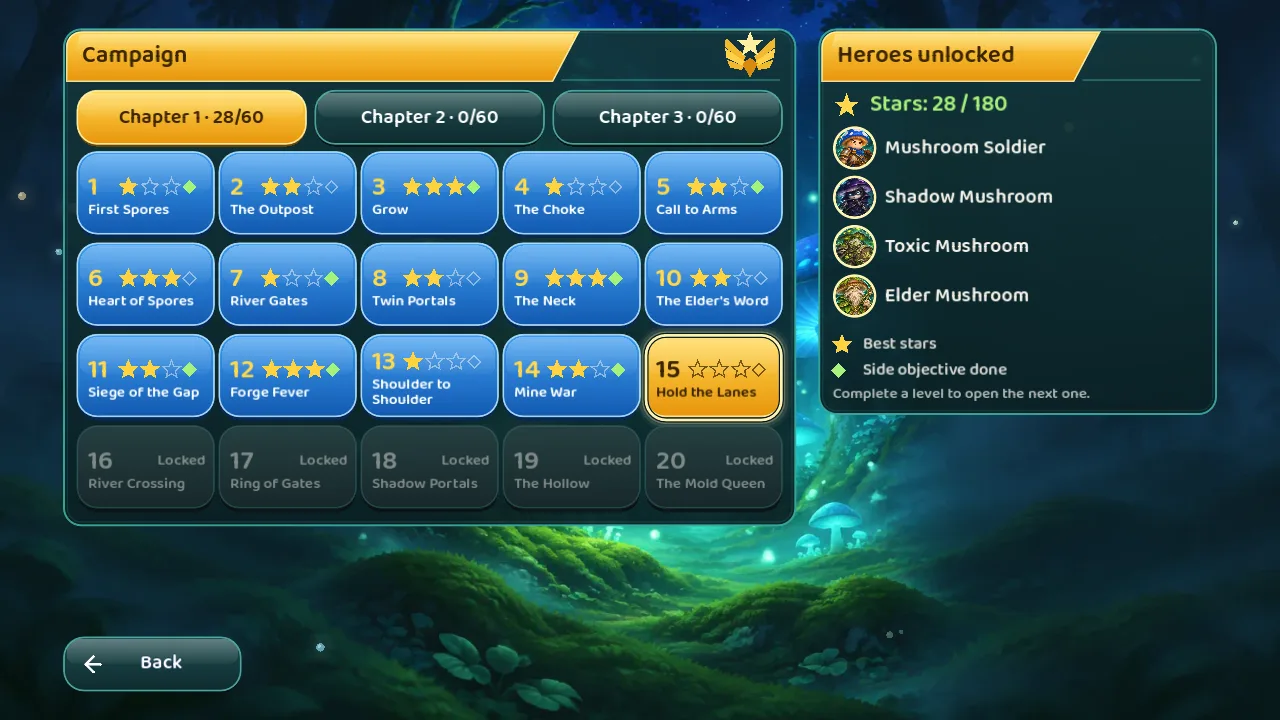
Mushroom Soldier is available from the start. Elder Mushroom unlocks when you finish campaign level 10 of chapter 1, Toxic Mushroom at level 20 of chapter 1, Shadow Mushroom at level 20 of chapter 2: all four are in the free chapters. Exact skill numbers may be tuned as the game is balanced.
Game modes
How you win
| Mode | You win when |
|---|---|
| Conquest | Your opponent has no buildings. No fixed time limit, but from minute 8 the spore storm begins and about 5 minutes after that the match is decided (see below). |
| Domination | You hold every special point for 20 seconds in a row. There is a 6-minute limit: when time runs out, whoever holds more points wins. |
| King of the Hill | You hold the building in the centre to collect points; the first to reach enough points wins. There is a time limit. |
| Campaign | You meet the level's objective: capture some buildings, survive for a time, protect a building… |
In the main menu
- Skirmish — a quick game against the AI. Pick a map (the list has 22: 14 for two players and 8 for four, then your own maps; four of them, 2 + 2, are Full Game maps marked “· Full Game” while you do not own it), a picture of the chosen map is shown beside the options, the number of AI opponents (1–3), the difficulty (Easy, Normal, Hard, Nightmare), the AI personality (Balanced, Rusher, Turtle, Economist, Opportunist), your hero or Classic, the mode, the game speed (0.75× / 1× / 1.5×) and the teams (1v1, 2 vs 2, free for all).
- Campaign — see below.
- Daily challenge — one level a day, the same for everyone, scored by completion time.
- Map editor — place buildings, draw obstacles, set start points, test at once, then export the map and share it with a code. The forest, cave and swamp looks are free; the Shadow Wood look is part of the Full Game.
- LAN play (inside the Online menu on a computer) — host a room, or join a room on the same network. To join, choose Find rooms on the network, which lists the rooms open on your network (on iPhone, iPad and Mac), and tap one; if a room is not listed, type the host's address, which the game remembers for next time. To host, open a room (the lobby shows its address). In every multiplayer lobby (LAN, Online, and the co-op lobby of a campaign level) each player who has joined ticks I'm ready, everyone sees who is ready, and the host can start only when all are; the host and computer players count as ready, and changing the map, the mode or the teams clears every tick. Before the match starts the host can Remove a player, who is told and may join again. The lobby and room screens show a picture of the chosen map. LAN play has so far been tried on one computer (the iOS Simulator, an Android emulator and the Mac app together), not between two real devices. Online play is turned off in the first iOS build.
- Replays — every finished match is saved automatically so you can watch it again. The game keeps the 50 newest replays and deletes older ones on its own; press Pin on a replay (up to 20) to keep it. Statistics — results per hero. Hero handbook (button on the player card) — the heroes, energy, buildings and tips in the game's own words. Cosmetics — army colour, building skin, victory effect and badge, unlocked by account level; the Supporter set (a gilded building skin, a Lanterns effect, a badge) comes with the Full Game.
The spore storm
In Conquest, from minute 8 the spore storm rises: every 10 seconds the population cap of every building drops by 5% (down to a quarter of its full cap), and soldiers above the new cap fade away. A countdown is shown on screen. About 5 minutes after the storm begins the match is decided: the side with more buildings wins, then the side with more soldiers, and if those are level it is a draw. The storm is there so an evenly matched game does not go on forever, so do not wait too long.
The campaign
- Three chapters of 20 levels (60 levels). Chapters 1 and 2 are free; chapter 3 and the ending are part of the Full Game (see below).
- The first five levels are lessons: send troops to neutral villages; a building falls only to more soldiers than it holds; a full village stops making soldiers until you upgrade; towers and forges; then a hero's energy and skills. Levels 6–8 teach the spore mine, gates and portals.
- Stars: each level earns 1–3 stars by time and soldiers left, plus a side objective (for example lose no building, win fast, or use no skill).
- Unlocking: finishing a level opens the next one. Heroes unlock as the campaign progresses (see Heroes). Some levels can be played with a friend over LAN.
Tips for new players
- In the first minute, take the neutral villages nearest to you before your opponent does.
- A full village stops making soldiers. Do not let troops sit idle: send them out or spend them on upgrades.
- To take a building, send more soldiers than it holds, and remember its defence factor. Select several sources and drag them to the same target so the troops arrive at about the same time.
- Put towers at the front, villages behind, forges at the rear. Towers shoot enemy squads that walk through their range.
- Watch the building that has just sent troops out: it is weak right then.
- Do not spend energy for the sake of it: one skill at the right time is worth two wasted ones.
- If you are new, slow the game down to 0.75× in Skirmish.
Accessibility and settings
Open Settings in the main menu. Changes are saved at once.
- Language: Tiếng Việt or English.
- Keep my army on the left: on by default. When you start on the right half of the map, the map is shown turned left to right so your army is on the left (skirmish, LAN and Online matches, and a replay or a spectated match, from the side of the player it follows). Campaign levels, the daily challenge and several people on one screen are never turned. Turn it off to see every map as designed.
- Colour-blind mode: adds geometric shapes (circle, triangle, square, star) to buildings, not only colour.
- Sound: separate volume for music and effects; each kind of sound (music, effects, voices, interface) has its own on / off switch.
- Screen shake and Vibration (on phones): can be turned off.
- Default game speed.
- Ad privacy: only where the law requires a way to change your ad choices (iOS, and Android once it is released, if you do not own the Full Game).
- Version: the version and build number, for example “Version 1.0.0 (457996)”, are shown on the main menu and at the foot of Settings; a build with Google's test ads adds “· TEST ADS”.
Free play, ads and the Full Game
Everything except chapter 3, the Shadow Wood maps and biome and the Supporter set is free. On iOS (and Android once it is released), if you do not own the Full Game, one full-screen ad may follow a match you play on your own (skirmish, campaign, daily challenge), never one in LAN, Online, co-op, spectating or replays; buying the Full Game removes the ads. The 1.0.0 builds show Google's test ads (the version line says “· TEST ADS”). The list of what it adds and the details are on the home page.
Something not working? See Support.